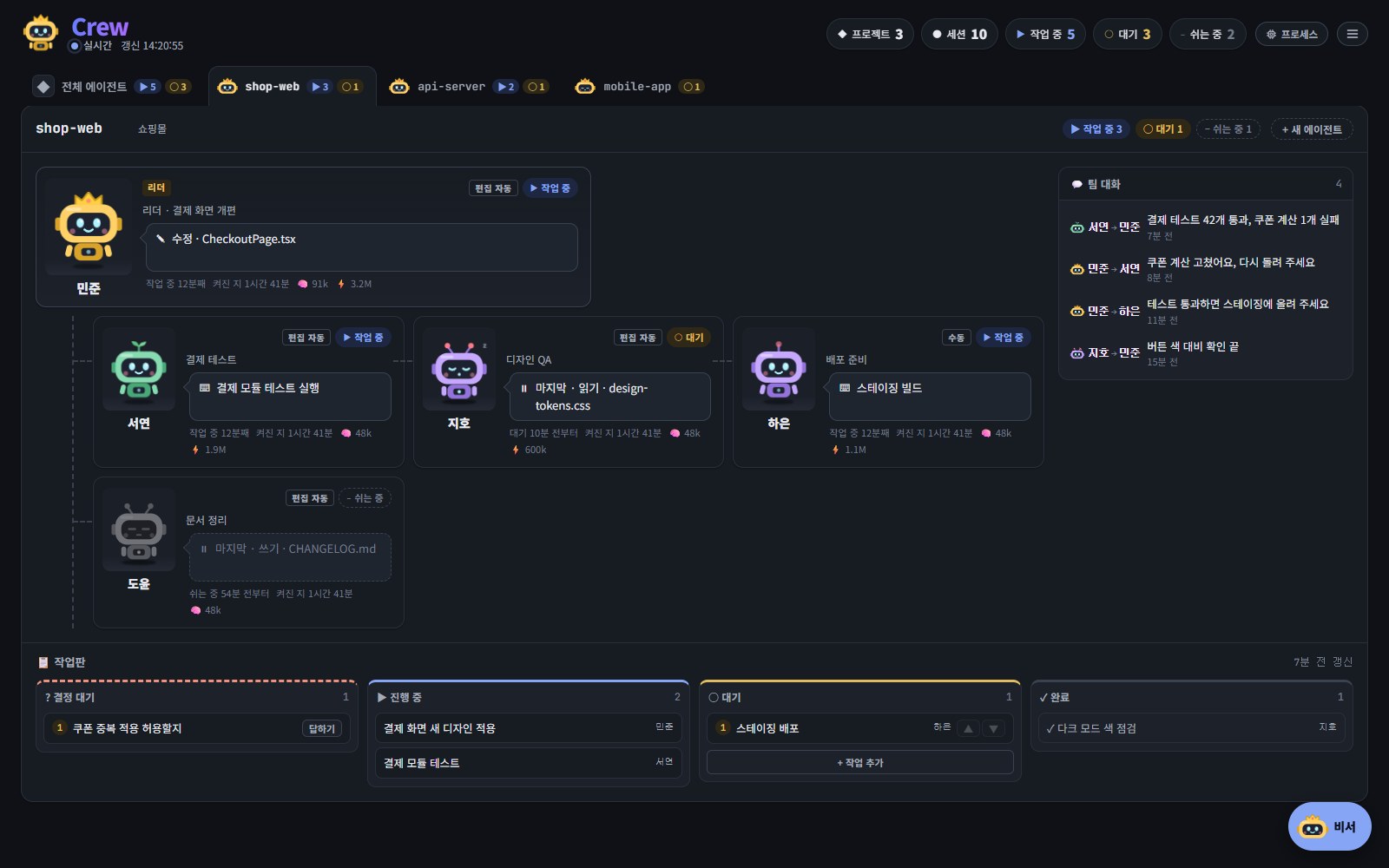
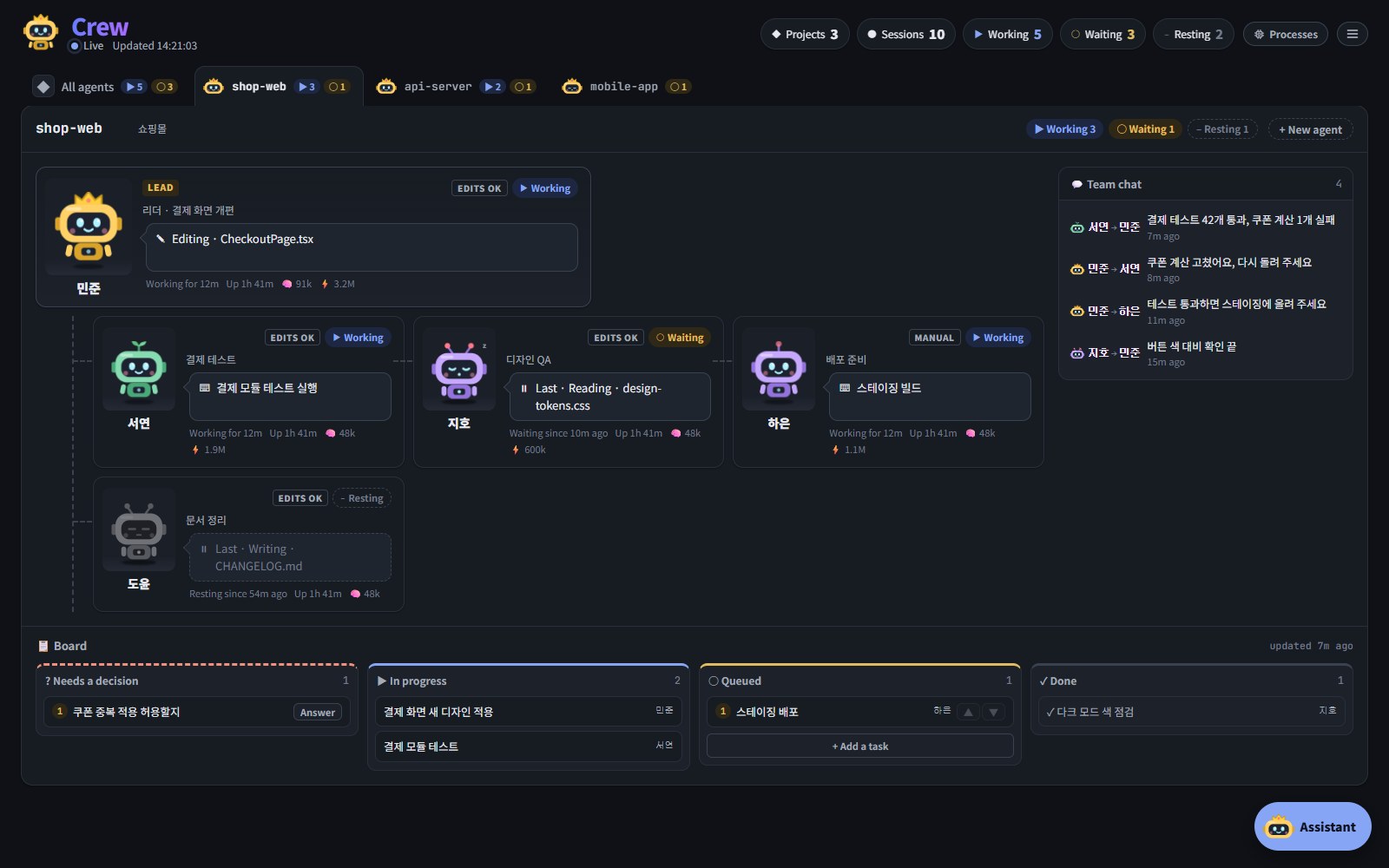
프로젝트별 조직도An org chart per project
프로젝트마다 탭이 하나. 리더 아래에 에이전트가 달리고, 카드마다 지금 하는 일과 그 상태로 있은 시간이 보입니다. 에이전트마다 사람 이름이 붙어서 -7f와 -74를 헷갈리지 않습니다.
One tab per project. The leader sits on top with its agents below; each card shows what the session is doing and for how long. Every agent gets a person's name, so -7f and -74 are easy to tell apart.
페이지에서 승인하고 답하기Approve and answer from the page
권한 요청, 질문, 계획 승인이 VS Code 대신 이 페이지로 옵니다. 숫자 키로 바로 답하고, 원하면 VS Code로 돌려보낼 수 있습니다. 아무도 보고 있지 않으면 평소처럼 VS Code에 뜹니다.
Permission prompts, questions and plans come to the page instead of VS Code. Answer with the number keys, or hand one back to VS Code. With nobody looking, the normal prompt appears as usual.
VS Code 없이 에이전트 실행Agents without VS Code
폴더를 고르면 설치된 claude를 지금 로그인 그대로 실행합니다. 답이 쓰이는 대로 흘러나오고, 모드와 모델은 실행 중에도 바로 바뀝니다. 앱을 다시 켜도 하던 일을 이어서 합니다.
Pick a folder and the monitor runs the installed claude on your own login. Replies stream in as they are written, mode and model change at once, and an agent cut off by a restart carries on by itself.
사용량과 한도Usage and limits
현재 5시간 세션과 주간 한도를 얼마나 썼는지, 언제 초기화되는지 보여 줍니다. 80 %와 95 %를 넘으면 알려 주고, 오늘 토큰을 가장 많이 쓴 에이전트도 보입니다.
How much of the 5-hour session and the week is used, and when each resets. You are told at 80 % and 95 %, and each card shows the tokens that session used today.
멈춤 감지와 알림Stuck? Notified.
작업 중인데 10분 동안 아무 움직임이 없으면 표시하고 한 번 알립니다. 답을 기다리는 요청이 있으면 작업 표시줄과 트레이에 점이 찍히고, 단축키 하나로 창을 불러와 바로 답합니다.
An agent with no sign of activity for 10 minutes is marked and notified once. Waiting requests put a dot on the taskbar and the tray, and one shortcut brings the window up with the keys ready.
데스크톱 앱A desktop app
터미널 없이 창과 트레이로 돕니다. 처음 켤 때 Claude Code 훅을 대신 설치하고, 새 버전은 GitHub 릴리스에서 알아서 받습니다. 새 PC에는 Claude Code만 있으면 됩니다.
A window and the tray, no terminal. On first run it offers to add the Claude Code hooks, and new versions come from GitHub Releases. A new PC needs only Claude Code.